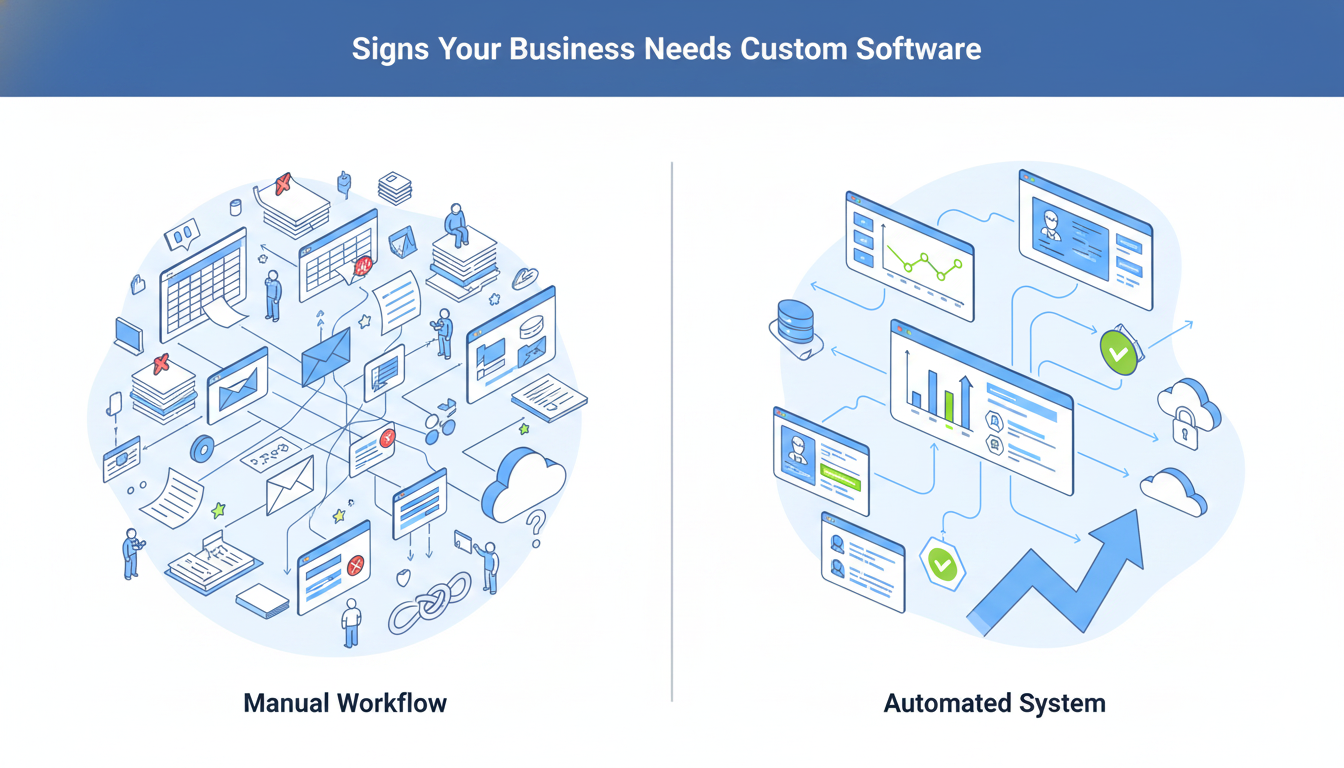
In the digitally interconnected world, the development of applications is the key to innovation and evolution. The multifaceted applications have reshaped our lives and work formats. And altered how companies do business, people communicate and ideas are brought to life. They have now become the building blocks of modern ecosystems of technology, and are pushing industries to evolve and change more rapidly than ever before.
There are also new technologies in the future that are on the verge of making digital solutions a revolution such as generative AI, quantum computing, and extended reality (XR). These innovations are pushing the limits of what apps are capable of doing and the applications are becoming smarter, more personal, and have never-before-seen levels of scalability.
In this wave of innovation, low-code and no-code (LCNC) platforms are democratizing the process of creating apps to enable non technical users to learn the fundamentals of app development and become creators and dramatically shorten the time of business to market. Combined with the principles of agile technology, such platforms are also creating an environment of high-speed innovation and delivery, allowing organizations to respond quickly to market pressures and changes in technology. The combination of LCNC and agile developments is already making the future of the state of app development more inclusive, efficient, and future-ready.
Application development, especially custom application development is central to this development. Although LCNC platforms are fast and easy to use, custom application development delivers tailored solutions that meet unique business needs while ensuring scalability, security, and seamless system integration.
Through innovative technologies and tailored design, custom applications enable organizations to stand out in the competitive markets, provide high user experience, and future-proof their digitalizations. Custom app development, whether it is the creation of a business-scale application, or the development of a new consumer-facing one, is at the core of the realization of meaningful and sustainable technological change.
What are Custom Apps?
Developers create custom apps to meet the specific needs, goals, and workflows of a business or user group. Unlike off-the-shelf software built for general use, custom applications address unique challenges and processes while aligning closely with end-user requirements.
Key Characteristics of Custom Apps
- Tailored Functionality: Custom applications are developed to complete certain tasks or address certain issues and they provide functionality and workflows that are built exactly to fit the needs of the user.
- Scalability: They can be expanded with the business, and can be easily updated, new features are added, and can be easily interconnected to other systems as the needs change.
- Integration: Custom applications may be easily incorporated to the existing software, databases, and tools, which is why the operations and data flow throughout the organization are smooth.
- User-Centric Design: These applications are based on the user experience (UX) and interface (UI) design to make the apps intuitive, efficient and pleasant to use.
- Security: Custom applications may be written with a high level of security controls that are specific to the profile of risks and compliance to the organization.
- Ownership and Control: The app and its codebase, data, and intellectual property are owned by the businesses, and the businesses can fully control its future development and customization.
How Custom App Development Transforms Businesses
Custom app development transforms businesses by
improving efficiency, streamlining workflows, and creating a competitive edge through solutions tailored to their unique needs. This approach allows for enhanced security, better user experiences, and greater flexibility to adapt to market changes, unlike generic off-the-shelf software.
How Business Users Can Develop Apps
Traditionally, custom application development would involve a lot of IT intervention, a complex code, technical knowledge and lengthy development time. Nevertheless, due to the emergence of low-code and no-code (LCNC) application development platforms, now business users, also known as citizen developers, can design their own applications without overdepending on IT departments. Here’s how:
No-code and low-code platforms offer visual and drag-and-drop application development platforms that can be built by anyone with little or no coding experience. These frameworks distort the intricacies of conventional software development and allow business users to work on problems instead of computer programming.
These platforms are advantageous to the business users in a number of ways. First, they are able to build applications in days or weeks rather than months and this saves a lot of time-to-market. Second, the tools are economical because they do not require the employment of professional developers or outsourcing of projects. Third, they are flexible, as the users can reiterate and modify the apps when the business requirements change. Most LCNC platforms also have templates and components, e.g., forms, workflows, dashboards, which can be modified to be more specific. Business users can do this with ease and they can create apps to handle tasks such as project management, customer relationship management (CRM) or data collection without necessarily beginning to write an app.
Another characteristic of LCNC platforms is integration capabilities. They have in-built connections to common tools that allow them to flow the data across the systems without any problem.
This guarantees that applications developed by business end users will be compatible with the current software ecosystems. Moreover, the platforms emphasize on the ease of use that enables business users to develop user-friendly interfaces that can boost the experience of the end-user as they do not require advanced design experience.
Business users can collaborate with IT teams where needed, and the apps can address the security and compliance standards without losing the control over the development process. This cooperative model is associated with innovation and agility, which helps organizations to react fast to market dynamics
Benefits of Custom Application Development
| Benefit | Description |
| Tailored to Specific Needs | Designed to address exact business challenges, workflows, and goals. |
| Enhanced Efficiency | Automates tasks, streamlines workflows, and integrates with existing systems for better productivity. |
| Scalability | Built to grow with the business, supporting additional users, features, and workloads. |
| Improved User Experience | Offers intuitive, user-friendly interfaces and personalized experiences for higher satisfaction. |
| Competitive Advantage | Enables unique features and services that differentiate the business from competitors. |
| Seamless Integration | Integrates with existing tools, databases, and software for smooth data flow and reduced errors. |
| Cost-Effectiveness | Long-term savings by eliminating unnecessary features, licenses, and operational inefficiencies. |
| Enhanced Security | Built with tailored security measures to meet specific compliance and data protection needs. |
| Full Ownership and Control | Businesses own the app’s codebase and intellectual property, allowing full control over updates. |
| Support for Innovation | Provides a platform for implementing cutting-edge technologies like AI, IoT, and blockchain. |
| Better Customer Engagement | Enhances customer interactions with personalized experiences, loyalty programs, and faster support. |
Drawbacks in Traditional App Development
While traditional app development has been the cornerstone of software creation for decades, it comes with several drawbacks that can hinder efficiency, scalability, and adaptability, especially in today’s fast-paced digital environment. Here are the key drawbacks of traditional app development:
| Drawback | Description |
| High Costs | Requires significant financial investment for specialized developers, lengthy development cycles, and ongoing maintenance. Costs can escalate with post-deployment changes. |
| Time-Consuming Process | Involves lengthy stages like planning, coding, testing, and deployment. Delays in any phase can push back the entire project. |
| Complexity | Writing code from scratch is complex and error-prone, requiring deep technical expertise and making it inaccessible to non-technical stakeholders. |
| Limited Flexibility | Making changes or adding new features after development is difficult and time-consuming, hindering adaptability to market demands. |
| Dependency on IT Teams | Relies heavily on IT departments or external developers, creating bottlenecks and delays for even minor updates or fixes. |
| Higher Risk of Failure | The complexity and length of development increase the risk of project failure, budget overruns, or apps that don’t meet business requirements. |
| Maintenance Challenges | Requires regular maintenance, bug fixes, and updates, which can be resource-intensive. Legacy systems may become outdated and hard to integrate with newer technologies. |
| Limited Scalability | Apps may struggle to scale as the business grows or user demand increases, often requiring significant rework and additional costs. |
| Difficulty in Integration | Integrating with existing systems or third-party tools can be challenging and time-consuming, leading to data silos and inefficiencies. |
| Long Learning Curve | Developers need to master specific programming languages, frameworks, and tools, which takes years and limits the pool of available talent. |
| Inability to Iterate Quickly | Follows a linear approach (e.g., Waterfall model), making it difficult to incorporate feedback or make changes mid-project, resulting in apps that may not meet user expectations. |
| Higher Security Risks | Writing custom code from scratch increases the risk of vulnerabilities if not properly tested and secured. Ensuring compliance with security standards can be challenging |
Custom Apps vs. Off-the-Shelf Solutions: Finding the Perfect Fit for Your Business
Custom applications are built to suit your requirements in your organization, and they are highly flexible and functional. They are custom-built to suit your individual operations and needs, and fit very well. In contrast, off-the-shelf solutions offer ready-to-use software that is geared to the general cases. Even though they are fast to implement and less expensive initially, they might not be capable of meeting your personal needs completely. Custom apps are better in terms of providing barriers to the competition and efficiency, however, they take longer and demand more money. Decisions on whether to go with custom or off-the-shelf will always be based on the objectives of organization, budget and required degree of customization that will bring optimal results.
The Evolution of Application Development
The application development process is a constantly changing story accompanied by a constant adjustment to the technological spirit of the time:
- Inception: Application development began in the mainframe era, where developers built software to support scientific and industrial needs.
- Desktop Dominance: Personal computers introduced desktop applications that users ran locally on individual machines.
- Web Revolution: With the emergence of the internet came the introduction of web applications, which democratized the access of information and services through the use of web browsers.
- Mobile Marvel: Smartphones have resulted in the development of mobile applications, which have transformed the way we interact, communicate and do business.
- Cross-Platform Agility: Cross-platform development emerged as a crucial solution to the issue of diversification of devices and operating systems, which would allow seamless functionality across several platforms.
- Low-Code and No-Code Renaissance: The modern world is entering a new phase as low-code and no-code platforms put application development into the hands of people with varying levels of technical experience.
Understanding Different Types of Applications
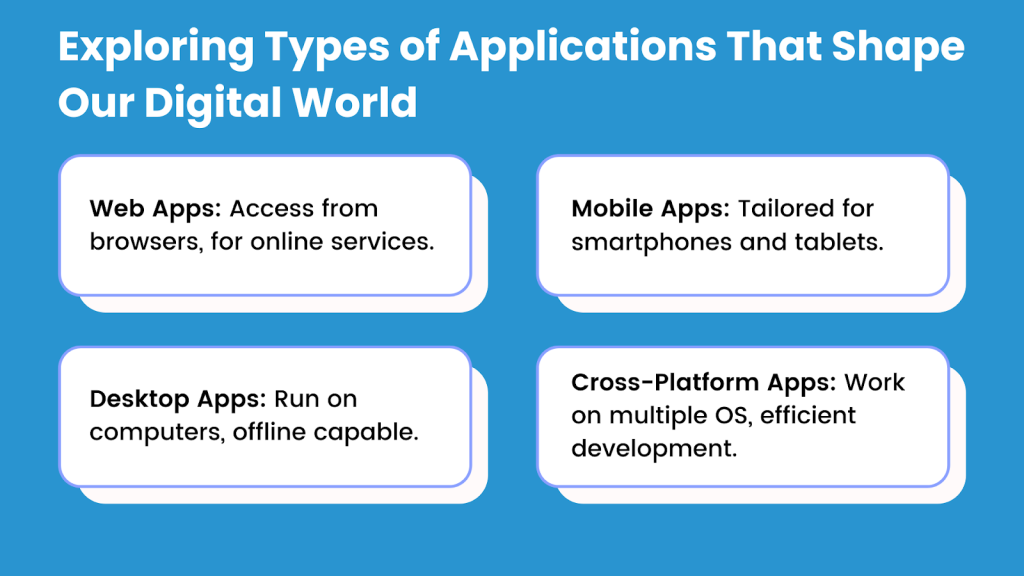
A diverse array of applications caters to various platforms and user needs. Let’s delve into the distinctive types of applications that have shaped our digital landscape:
Web Applications
Access Anytime, Anywhere
Web applications run through web browsers and allow users to access services anytime, on any device with an internet connection. They power email platforms, social media sites, and cloud-based productivity tools.
Mobile Applications
Power in Your Pocket
Mobile apps are developed to be used on tablets and smartphones. They take advantage of the different originalities of mobile gadgets, including touch screens and GPS, to offer personalized user experience. Mobile applications vary in being in the form of games and social networks as well as utility applications and e-commerce.
Desktop Applications
The Workhorse of Computing
Native applications which are also referred to as desktop applications that are run directly on a computer or a laptop by a user. They provide powerful performance offline. The desktop applications are a wide range that consists of word processing programs, graphic design programs, and video editing software.
Cross-Platform Applications
Bridging the Divide
Developers build cross-platform applications to run across multiple operating systems, including Windows, macOS, iOS, and Android. They minimize development work and provide homogeneous user experiences. Mobile and web development involve the use of cross-platform apps.
Stages of Custom Application Development
When embarking on the journey of application development, a structured approach is essential. Here are the key stages of application development lifecycle that constitute the lifecycle of application development:
Requirements Gathering and Analysis: Defining the Blueprint
This is the first stage where the developers, together with the stakeholders, work together to collect and record the specifications of the project. This stage entails the knowledge about user requirements, functionalities and project goals. Clear requirements provide the guideline of the whole development process.
Planning and Design: Creating the Roadmap
The planning and design stage is a process that developers undertake to develop a project plan. This plan will include development scheduling, resource mapping and technical architecture. The design part entails developing wireframes, prototyping, and user interfaces to represent the final product.
Development and Coding: Building the Foundation
It is here that the real coding and development of the application is done. The code is written based on the design requirements and specifications of the project by developers. This stage can be characterized by numerous repeats, code reading, and teamwork.
Testing and Quality Assurance: Ensuring Reliability
Quality assurance and testing are very important phases in application development. The testers test the application on bugs, glitches and performance. Quality assurance will make sure that the application is of the desired standards and user expectations. It can encompass several forms of testing such as unit testing, integration testing and user acceptance testing.
Deployment and Release: Going Live
After a thorough testing of the application, it is deployed. Deployment entails the process of availing the application to users via app stores, web hosting or internal networks. Effective application deployment plan would give a successful application release.
Maintenance and Updates: Continuous Improvement
The transition is not the final stage of the journey. Repair and modernization are continuous processes. Developers are the ones who keep track of the performance of the application, respond to the feedback provided by the users and provide updates to the application to correct bugs and add more features and respond to changing technology environments.
All these phases play a crucial role during a successful application delivery. An organized development process means that the end product is in line with the needs of the users, is also reliable and is also able to adapt to any change and progress in the future.
Low-Code No-Code Custom App Development
If You Have Decided on Low-Code No-Code (LCNC): Development and Coding – Building the Foundation.
When you decide on a low-code or no-code (LCNC) platform for your custom app development, the foundation building process is quite different compared to traditional coding. Although in traditional development, one will be writing new code manually, LCNC platforms ease this stage by offering visual, drag-and-drop development tools and pre-built components. The work of development and coding in an LCNC setting is as follows:
Visual Development Interface
Rather than typing lines of code, the developers (or citizen developers) create an interface and follow it to create logic of the app, its workflows, and user interface. Drag-and-drop feature enables one to choose ready-prepared components (e.g. buttons, forms, databases) and position them to build the structure of the app.
Pre-Built Templates and Modules
LCNC platforms are provided as a library of templates and modules used in common scenarios, including data collection, task management or customer relationship management (CRM). These templates can be tailored to specific business requirements, which significantly reduces development time.
Workflow Automation
LCNC systems allow users to automate processes, develop rules and logic graphically. As an instance, you can create automatic notifications/ approvals/ data updates without creating complex code.
Integration with Existing Systems
LCNC platforms are delivered with inbuilt connectors and APIs to attach to third-party instruments, databases and services. This guarantees the smooth transfer of data between the custom application and the existing systems, including Microsoft 365, Google Workspace, or Salesforce.
Rapid Iteration and Collaboration
It is possible to create changes fast and test them in real-time, which enables the rapid process of iteration and constant improvement. The platform can be used by teams where collaborating business users and IT professionals will make the app improved.
Minimal Coding (Low-Code) or No Coding (No-Code)
Low-Code Platforms: It is possible to do a bit of custom code to add functionality or interact with systems that are specialized.
No-Code Platforms: These platforms do not need to be coded at all, which means that the development of apps is available to non-technical users.
Testing and Debugging
LCNC platforms typically have inbuilt testing facilities to detect and correct the problem when developing. It also makes debugging easier because the platform will identify the error and give recommendations on how to fix it.
Scalability and Performance
LCNC platforms are created to support scalability whereby the apps can expand alongside the business. The platform may do performance optimization and manual tuning is unnecessary.
Security and Compliance
LCNC systems have intrusive security capabilities, including access control, data encryption, and audit records. They also keep the developers to industry standards thereby lessening the workload of the developers.
They also guarantee the adherence to the standards in the industry among the developers, easing the pressure on the developers.
Choosing the Right App Development Approach
The choice of the right app development model is critical to the success of the project. This is where you will find different development methodologies and approaches which can be used in your decision making process:
Native vs. Hybrid vs. Web Development
Native Development
In the case of native development, applications are developed using only a single platform or operating system (e.g. iOS or Android). Native apps make the most of the potential of the device, thus the performance is good and user experience is smooth. But they need individual platform development which may be resource-intensive.
Hybrid Development
Hybrid development creates a balance between web development and the native development. The apps are created on the basis of web technologies (HTML, CSS, JavaScript) and are enclosed in a native container. Cross-platform compatibility is possible under this approach that lowers development time and costs. It can compromise certain performance optimization with full native apps.
Web Development
Web development focuses on building applications that users access through web browsers. These applications work across devices and do not depend on a specific platform. Web apps are inexpensive and simple to maintain, although may not be able to utilize device-specific capabilities as much as native apps.
Low-Code and No-Code Development
Low-code development platforms enable the developer to develop an application with limited manual code. These platforms are visual and have pre-built components, which is faster to develop and has simplified customization. Low-code platforms are applicable in projects where there is a tight deadline and limited resources.
No-Code Development
No-code development goes even further and allows a person with no coding background to develop apps. Applications may be built by drag and drop interfaces and templates. No-code platforms democratize the creation of applications, and this can be useful to a larger audience.
Agile vs. Waterfall Development Methodologies
Agile is an approach of development which is flexible and iterative. It focuses on team work, flexibility and constant improvement. Agile teams execute daily short cycles (sprints) in order to provide functional units of the application. This approach is best suited to a project whose requirements can be changed and have to be changed regularly.
Waterfall Development
Waterfall is a stepwise and progressive development process. It is a process that has a defined sequence with different phases (requirements, design, development, testing, deployment) taking a particular sequence. Waterfall is applicable to clear-cut projects with constant requirements that do not change much.
The selection of the proper development strategy will be based on the particular needs of your project, resources and objectives. Both methods have their merits and limitations and depending on the capabilities of your development team. The specifics of your application, one solution should be chosen.
The Future of LCNC in App Development
The use of LCNC platforms will only increase as companies will keep on focusing on agility and digital transformation. The emergence of artificial intelligence (AI) and machine learning (ML) is also improving these platforms and making it possible to develop predictive analytics, offer smart suggestions, and conduct automated testing. The LCNC technology will continue to play a major role in the IT strategies of businesses because it will enable these businesses to innovate at an increasing rate and smoothly adjust to market dynamics.
The adoption of LCNC platforms does not mean that organizations are simply developing apps but rather creating space to rethink the potential of technology in advancing their objectives and enhancing additional efficiency, creativity, and impact.
Custom App Development with Newton Byte
Newton Byte is a high-end no-code low-code platform that assists businesses in developing enterprise-grade applications in a short period and maintaining them with ease. Newton Byte enables users to develop scalable, secure, and customized applications without the need to know a lot of code via its intuitive drag-and-drop interface, built-in templates and a powerful integration system.
The platform helps in accelerated development and businesses can operate within days or weeks in order to get their idea to become a reality. It is scalable, which means that apps can be expanded as your business expands. Powerful security capabilities such as role-based access control and data encryption help to ensure that the apps are compliant with the industry standards.
Newton Byte also encourages real-time teamwork may operate efficiently and the price effective strategy does not require specific developers or outsourcing. Regardless of the contents of your workflow, procedures, or integrations, Newton Byte streamlines the development and maintenance of apps, which makes it one of the best options to consider in cases when the business needs to innovate and be competitive.
Comparison: Building from Scratch vs. Using Newton Byte
| Aspect | Building from Scratch | Using Newton Byte |
| Development Time | Months | Days or weeks |
| Cost | High (requires developers, infrastructure, etc.) | Lower (no-code platform with subscription) |
| Technical Expertise | Requires coding and technical skills | No coding knowledge needed |
| Flexibility | Fully customizable but time-consuming | Customizable with pre-built components |
| Scalability | Requires manual effort to scale | Built-in scalability features |
| Maintenance | Resource-intensive | Simplified with platform updates |
| Integration | Requires custom coding for integrations | Pre-built connectors and APIs |
Conclusion
Flexibility is the key to success in this dynamic industry. No-code low-code, AI, IoT, and blockchain have broken the paradigms and have provided novel opportunities in innovation. The developers need to take change as an opportunity, and not a challenge to become successful.
It is not only good to be ahead but also necessary! The frontrunners will be those who make use of emerging technologies, cross-platform provision, and the possibilities of no-code and low-code tools.
Application development is not a trip but a journey. Change, innovation, and nimbleness are the secrets to living in the impressive world of application development, not only to survive but flourish.